
Color depth: why each extra bit doubles the palette, not adds to it
A photographer friend upgraded from an 8-bit to a 10-bit display expecting a modest 25% improvement based on the bit count difference, and was surprised by how much smoother gradients looked — the real jump is a 4x incre
We write the way we argue on the bench: exact factor, one sharp trap, one worked example you can re-check.
A photographer friend upgraded from an 8-bit to a 10-bit display expecting a modest 25% improvement based on the bit count difference, and was surprised by how much smoother gradients looked — the real jump is a 4x increase in tonal values, not 25%.
Here is the conversion I wish I had taped to the fridge before that went sideways.
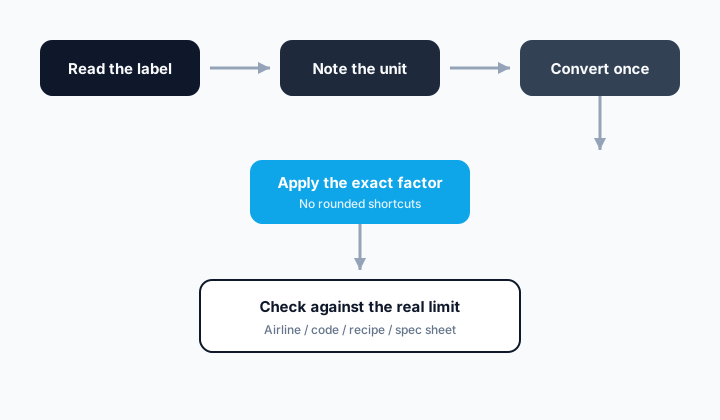
The factor that settles arguments
This is the relationship our converters use. Screenshot it if you have to — just stop re-deriving it from a half-remembered blog post.
Total colors = 2^(bit depth) — an exponential relationship, not linear
Write that line once at the top of your notes. Every later arithmetic step should point back to it instead of inventing a friendlier number mid-stream.
The mistake that keeps showing up
Assuming color depth scales linearly with bit count (10-bit being '25% more' than 8-bit) instead of recognizing each additional bit doubles the total number of representable values.
I still write the unit next to every intermediate value. It looks pedantic until it catches the one swap that would have shipped wrong.
- Write down the known value in bit depth.
- Confirm the target unit is really total color/tone values, not a similar-looking one.
- Apply the factor: Total colors = 2^(bit depth) — an exponential relationship, not linear.
- Round only at the end, to the precision your tool or spec supports.
Worked example
You're comparing an 8-bit display's color depth against a 10-bit display's.
10-bit color: 2^10 = 1,024 tone values per channel, a doubling relationship, not an additive one from 8-bit's 256.
That's 1,024 values per channel for 10-bit versus 256 for 8-bit — four times as many, not 25% more, because each added bit doubles the count.
I usually convert once, write the answer with units, then convert back. That two-step habit has saved more weekends than any fancy app.
Quick reference table
| bit depth | Calculation | total color/tone values |
|---|---|---|
| 8-bit | 2^8 | 256 values |
| 10-bit | 2^10 | 1,024 values |
| 12-bit | 2^12 | 4,096 values |
| 16-bit | 2^16 | 65,536 values |
Use the table for speed once you trust the factor. Do not use it as a substitute for understanding which definition of the unit you are on.
Why the exact number matters
Understanding the exponential nature of bit depth explains why even a couple of extra bits dramatically reduces visible color banding in gradients and shadows.
Precision is not about showing off decimals. It is about making sure the shopping list, the machine setting, and the acceptance check are all describing the same physical quantity.
Pocket recap
Raise 2 to the power of the bit depth to get total values per channel — going from 8-bit to 10-bit isn't a 25% gain, it's a 4x increase in tonal resolution.
Keep the converter link nearby for the next time the same debate shows up in a group chat. Re-typing the factor from memory is how the wrong cousin of a unit sneaks back in.
Try the converters mentioned in this article
FAQ
What is the exact bit depth to total color/tone values factor here?+
Total colors = 2^(bit depth) — an exponential relationship, not linear
Should I round partway through the calculation?+
No — carry full precision through the multiplication and round only the final answer, to the precision your tool, gauge, or spec actually supports.
What's the single biggest mistake people make with this conversion?+
Assuming color depth scales linearly with bit count (10-bit being '25% more' than 8-bit) instead of recognizing each additional bit doubles the total number of representable values.
This article was written by The Turbo Unit Converter engineering desk (Applied units & field metrology) and last reviewed on 2026-07-27 against NIST SP 811 and the BIPM SI Brochure. Read our full editorial policy.